Adding Comments data
Add Comments Data
We are going to allow our users to give us feedback. This will include a comment as well as optional photo. It is important to save the data to analyze the feedback that we receive from customers, so that we can later apply business intelligence to our data. To do this, we need to add the following code to our graphql.schema file. Open the file located at amplify/backend/api/andypizzashop/schema.graphql
APPEND the following data to the end of the schema file and save schema.graphql:
type Comment
  @model
  @auth(
    rules: [
      { allow: groups, groups: ["storeadmins"]}
      { allow: owner  }
    ]
  ) {
  id: ID!
  comment: String!
  file: String
  status: String
}
Again, perform an amplify push and Amplify will update AppSync to add the new data model to our api: (If the web server is currently running, press CTRL-C to stop the current running server.)
amplify push
Select Yes to the questions for generating the API code, and amplify will push the changes to AWS.
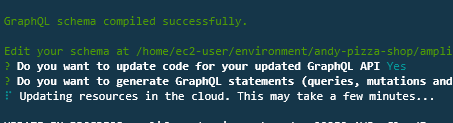
This will take a few minutes to complete. Once deployment is finished, move on to the next step to add the review functionality to the application.