Create the API
Create the REST API
Finally, we can create our front-end API! To do this, we first need to make some changes to our auth so that we can correctly secure our API. Run the following and select Create or Update Cognito User pool groups:
amplify update auth
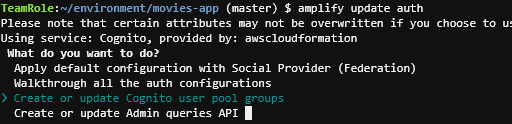
Enter the following:
- name for group: storeadmins
- add another?: No
- Sort: Just press enter (should be only one group)

Next, run the following to add our API:
amplify add api
Enter the following options:
- API Type: REST
- Friendly name: storeInfoApi
- provide a path: /stores
- Choose a Lambda Source: Use a lambda function already added
- Choose the Lambda Function: storeInfo
- Restrict API access: Yes
- Restrict access by: Individual Groups
- Select groups: storeadmins (use space bar to select, then press enter to continue)
- What kind of access: create, read, update, delete (use space bar to select each operation, then press enter to continue)
- Add another path? No
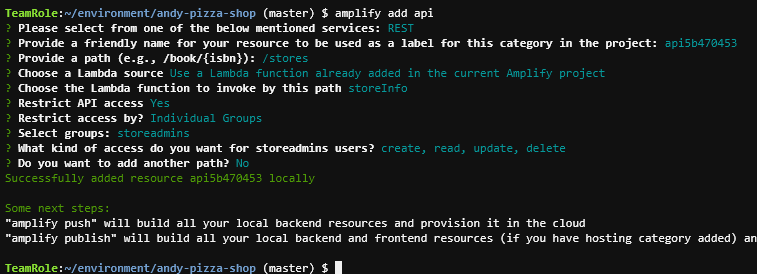
Now, push our changes to AWS using amplify push
amplify push
Wait for the changes to complete and then proceed to the next section.