Create Business Function
Add Business Logic (Lambda Function)
Lambda is a “function as a service” component that allows us just to supply code and Lambda will execute based on a few settings. To get started, we can simply tell amplify to add a function.
amplify add function
Choose Lambda Function (serverless function) and then enter the following settings for the function:
- Function name: storeInfo
- Runtime: Python

Choose y (yes) for configuring advanced settings, and then enter Y for the next question as well. Choose the following options:
- Category: storage (use the space bar to select, then hit enter to continue)
- Resource: stores (this will automatically be selected because there is only one storage resource)
- Operations: create,read,update,delete (use the space bar to select all, then hit enter to continue)
Choose No for the additional questions
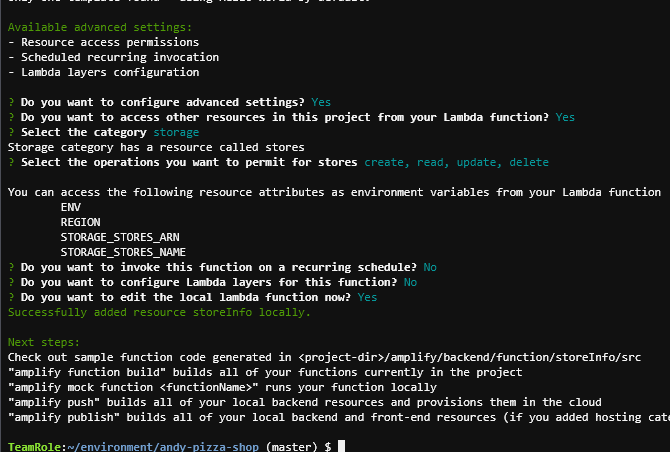
Now, open the following file in your project directory: amplify\backend\function\storeInfo\src\index.py and replace it with the following code:
import json
import boto3
import os

dynamodb = boto3.resource('dynamodb')
tableName = 'stores'
if (os.environ['ENV']):
    tableName = tableName + '-' + os.environ['ENV']

def getCurrentStores():
    table = dynamodb.Table(tableName)
    done = False
    start_key = None
    response = table.scan()
    print(response)
    return response['Items']

def putStore(data):
    table = dynamodb.Table(tableName)
    response = table.put_item(Item=json.loads(data))
    return response

def deleteStore(storeData):
    table = dynamodb.Table(tableName)
    data = json.loads(storeData)
    print(data)
    response = table.delete_item(
        Key={
            'storeCode': data['storeCode']
        }
    )
    return response

def handler(event, context):
    print(event)
    method = "GET"
    if 'httpMethod' in event:
        method = event['httpMethod']
    if (method == 'POST'):
        print("putting data")
        print(putStore(event['body']))
    elif (method == 'DELETE'):
        print(deleteStore(event['body']))

    stores = [
        {
            'storeCode': 'S001',
            'name': 'Andys Pizza',
            'city': 'Atlanta',
            'state': 'GA'
        },
        {
            'storeCode': 'S002',
            'name': 'Andys Pizza and Subs',
            'city': 'Orlando',
            'state': 'FL'
        },
        {
            'storeCode': 'S003',
            'name': 'Andys Airport Pizza',
            'city': 'Chicago',
            'state': 'IL'
        }
    ]
    stores = getCurrentStores()
    return {
        "statusCode": 200,
        "headers": {
            "Content-Type": "application/json",
            "Access-Control-Allow-Origin": "*"
        },
        "body": json.dumps(stores)
    }
Save the file. Next, run amplify push to push the function to AWS
amplify push
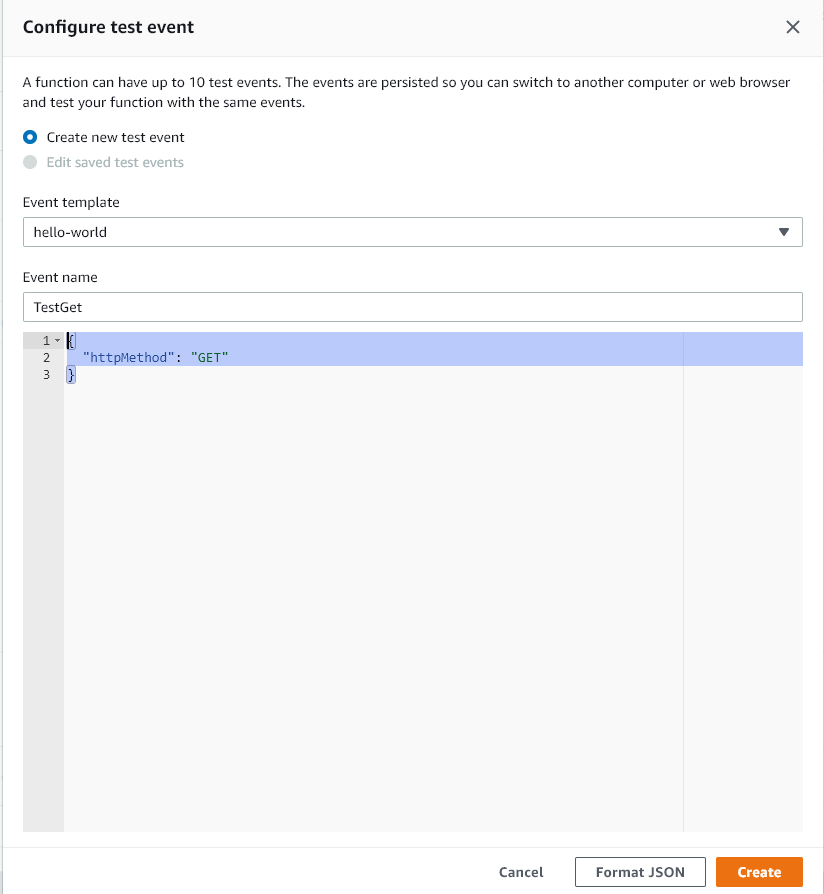
Once changes are complete, navigate to the Lambda console to view your function (it should be called storeInfo-dev. Open the function and then click the Test button. Because this is the first test we are running, you will get prompted to enter a test event name and payload (in JSON format). Enter TestGet as the test event name and then the following JSON event in the large text area:
{
  "httpMethod": "GET"
}
Click Create.
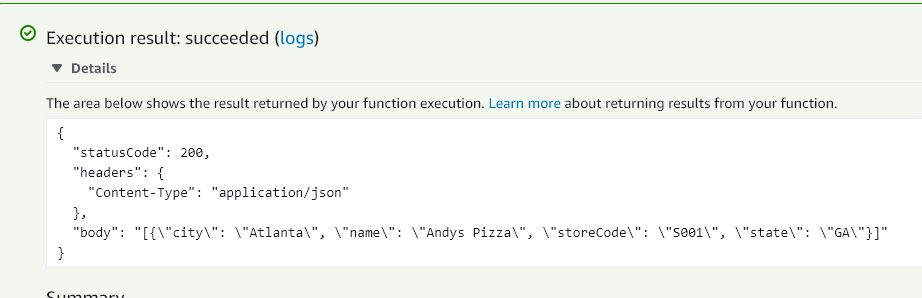
Now, click Test again. This executes the function and will return all data from the DynamoDB table that you created earlier. You should see the single store that you previously entered returned in the execution results tab.